Turn Your Payza Store Into a Smarter Advertising Machine: Introducing Ad Pixel Tracking
Meta Description: Discover how PayzaAPI Ad Pixels help merchants track customers, understand buyer behavior, measure advertising performance, and optimize Meta, Google, and TikTok campaigns automatically.
SEO Keywords: PayzaAPI, Payza store, ad pixels, Meta Pixel, Facebook Pixel, Google Ads tracking, Google Analytics, TikTok Pixel, ecommerce tracking, conversion tracking, African ecommerce, online store marketing, Payza payments
🚀 Your Store Should Do More Than Sell — It Should Learn
Running online advertising without knowing what happens after someone clicks your advert is like driving a car without a dashboard.
You may know that people are visiting your store, but do you know:
- Who viewed your products?
- Who added something to their cart?
- Who started checkout?
- Who actually completed a payment?
- Which customers are most likely to buy?
- Which advertising campaigns are generating real sales?
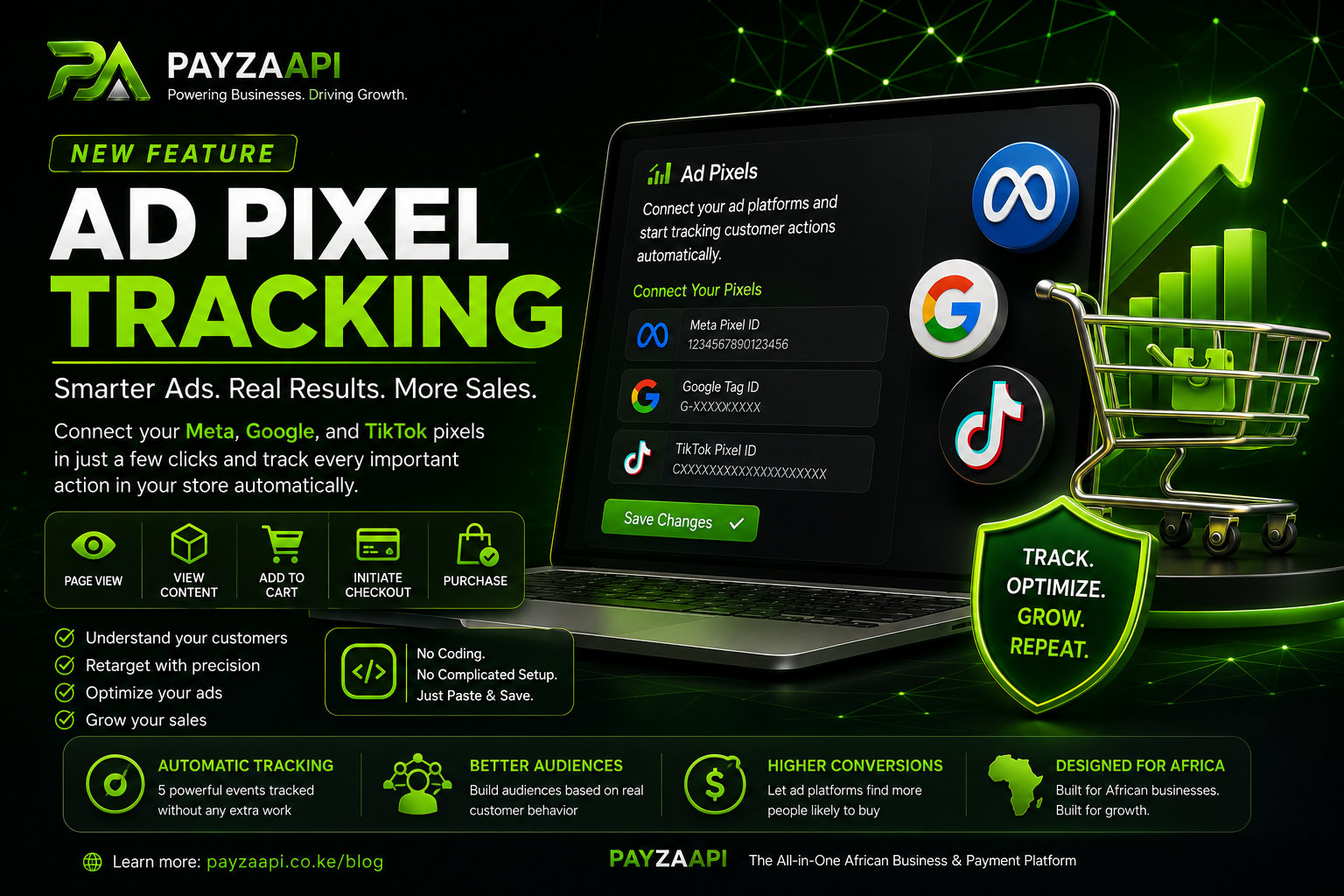
With PayzaAPI Ad Pixel Tracking, your Payza store can now automatically communicate important customer activity back to your advertising platforms.
That means your store doesn't simply receive customers.
It learns from them.
🎯 What Are Ad Pixels?An advertising pixel is a small tracking technology that allows advertising platforms to understand what visitors do on your website.
When connected to your Payza store, supported platforms can receive information about important actions customers take throughout their shopping journey.
For example:
Advertisement → Store Visit → Product View → Add to Cart → Checkout → Payment
Instead of seeing only a click, your advertising platform can understand what happened after that click.
This gives you significantly more useful information for making marketing decisions.
💚 Introducing PayzaAPI Ad Pixel TrackingPayzaAPI has made this process simple.
You don't need to edit your website code.
You don't need to install complicated tracking scripts manually.
You simply enter the relevant pixel or measurement ID in your Payza Store Settings, and Payza handles the event tracking automatically.
You can connect the platforms you actually use for advertising and leave the others blank.
Supported advertising and analytics platforms include:
- Meta — Facebook & Instagram advertising
- Google — Google Analytics / Google Ads
- TikTok — TikTok advertising
Once configured, your store can report key customer actions to the connected advertising platform.
EventWhat It MeansWhy It MattersPageViewSomeone visits your storeHelps build audiences and understand trafficViewContentSomeone views a productHelps identify product interestAddToCartSomeone adds a product to their cartHelps you target potential buyers who didn't complete the purchaseInitiateCheckoutSomeone starts the checkout processIdentifies high-intent customersPurchaseA customer successfully completes paymentMeasures actual conversions and salesThe most valuable signal is often Purchase.
Why?
Because clicks don't pay your business.
Customers do.
💰 Stop Optimizing for Clicks. Start Optimizing for Customers.Imagine you spend money advertising a product.
1,000 people see your advertisement.
100 people click.
20 people view the product.
8 people add it to their cart.
5 people start checkout.
And 3 people actually purchase.
Without conversion tracking, you may only know that people clicked.
With proper event tracking, you can understand the entire customer journey.
That changes the way you advertise.
Instead of asking:
"How many people clicked my advert?"
You can start asking:
"How many people did my advert actually turn into customers?"
That's a much more powerful question.
🔥 Retarget Customers Who Didn't BuyNot everyone buys the first time they visit your store.
A customer might:
- View a product
- Get distracted
- Leave your website
- Come back tomorrow
- Compare prices
- Forget about the product
With pixel-based tracking, advertising platforms can use relevant customer activity to help you build audiences for remarketing.
For example:
Product Viewer
Someone views a pair of shoes but doesn't buy.
You can use your advertising platform to target relevant audiences again.
Cart Abandoner
Someone adds the shoes to their cart but leaves before paying.
That's an even stronger buying signal.
Checkout Abandoner
Someone starts checkout but doesn't complete payment.
This customer has demonstrated extremely high purchase intent.
Previous Customer
Someone successfully purchases.
You can use customer conversion information to measure campaign performance and, where supported by the advertising platform and your campaign setup, help build audiences for future campaigns.
🧠 Your Advertising Gets SmarterThe real power of conversion tracking isn't simply collecting numbers.
It's giving advertising platforms better signals.
When platforms understand which users are completing valuable actions, your campaigns can make better use of their optimization and audience tools.
This can help you move from:
Traffic → Engagement → Conversion
instead of focusing only on:
Impressions → Clicks
For an online business, that's a major difference.
🛒 Built for Payza Store OwnersWhether you're selling:
- Physical products
- Digital products
- Services
- Courses
- Tickets
- Subscriptions
- Business products
- Creator products
your store can benefit from understanding how visitors interact with it.
Payza brings the tracking infrastructure directly into your store environment so you can focus on what matters:
Building your business.
⚡ No Coding RequiredOne of the biggest advantages is simplicity.
You don't need to manually insert tracking scripts into every product page.
You don't need to modify your checkout.
You don't need to hire a developer simply to add a standard pixel ID.
Setup is simple:
1. Create or access your advertising pixel
Get your relevant ID from Meta, Google, or TikTok.
2. Open your Payza dashboard
Go to:
Store Settings → Ad Pixels
3. Paste your ID
Enter the appropriate ID into the corresponding platform field.
4. Save
Payza handles the rest.
Your store can then begin reporting supported customer events automatically.
📈 Measure What Is Actually WorkingImagine running three advertising campaigns:
Campaign A
10,000 impressions
500 clicks
5 purchases
Campaign B
7,000 impressions
300 clicks
18 purchases
Campaign C
5,000 impressions
200 clicks
25 purchases
If you only look at clicks, Campaign A appears to be the winner.
But when you look at purchases, Campaign C is clearly producing more customers from less traffic.
That's why conversion tracking matters.
The campaign with the most clicks isn't necessarily the campaign making you the most money.
🌍 Built for the African Digital EconomyPayzaAPI is building more than payment infrastructure.
We're building tools that help African businesses participate more effectively in the digital economy.
Payments are only one part of online commerce.
A successful digital business also needs:
Customers → Marketing → Storefront → Payments → Analytics → Retention
Payza brings these important pieces closer together.
Our goal is simple:
🔐 Your Data MattersGive African businesses the technology they need to sell, accept payments, understand their customers, and grow.
Advertising and analytics integrations should always be implemented responsibly.
Merchants should ensure their use of tracking technologies complies with applicable privacy and data-protection requirements, as well as the policies of the advertising platforms they use.
Payza's role is to provide the technical infrastructure that makes supported integrations easier to configure.
Your responsibility as a merchant is to use tracking appropriately and transparently.
❓ Frequently Asked QuestionsDo I need Meta, Google and TikTok pixels?
No.
Only configure the platforms you actually use.
If you advertise exclusively on Facebook and Instagram, you can configure Meta without setting up Google or TikTok.
Do I need coding knowledge?
No.
For the supported Payza integration, you simply provide the appropriate ID through your store settings.
Will I need to add the pixel to every product?
No.
Once configured correctly, Payza handles the supported event tracking throughout your store.
Can I remove a pixel?
Yes.
You can clear the relevant ID from your Ad Pixels settings and save your changes.
Does Payza charge extra for this feature?
No.
The Payza-side pixel configuration is included as a store feature. Advertising costs charged by Meta, Google, TikTok, or other advertising platforms remain separate.
How do I know whether tracking is working?
Use the relevant platform's testing and diagnostic tools.
For example, you can use Meta's browser extension for pixel detection, Google Analytics' Realtime reports, or TikTok's pixel testing tools.
🚀 Your Store Is Now More Than a StoreThe future of ecommerce isn't simply about putting products online.
It's about understanding the entire customer journey.
Who visited.
What they viewed.
What interested them.
What they added.
Where they stopped.
Who converted.
And most importantly:
What you can do differently tomorrow to get more customers.
With PayzaAPI Ad Pixel Tracking, your store can become a more measurable and data-driven part of your marketing system.
💚 Start Building Smarter With PayzaAPIYour products deserve more than traffic.
They deserve customers.
Your advertising deserves more than clicks.
It deserves measurable results.
And your business deserves technology designed for growth.
PAYZAAPI
Powering Businesses. Driving Growth.
Build your store.
Connect your payments.
Track your customers.
Optimize your marketing.
Grow your business.
Start building smarter with PayzaAPI today.