In today’s digital economy, email is much more than a tool for sending and receiving messages. For developers, business owners, freelancers, startups, and organizations, a professional email system can become an important part of productivity, communication, security, marketing, and customer management.
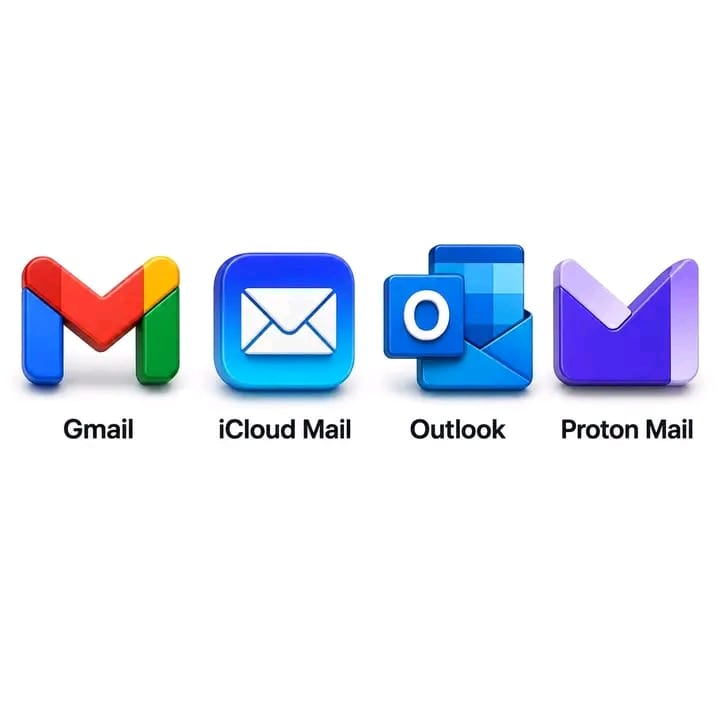
There are many excellent email platforms available today, including Gmail, Outlook, iCloud Mail, and Proton Mail. Each platform has its own strengths and is designed for different needs.
However, when it comes to the combination of productivity, integrations, collaboration, developer tools, reliability, storage, security, and business features, Gmail remains one of the strongest choices for many developers and business professionals.
In this guide, we will explore why Gmail is such a popular choice and when it makes sense to use it.
What Makes a Good Email Platform?
Before choosing an email provider, it is important to understand what actually makes an email service useful for professional work.
A good email platform should provide:
- Reliable message delivery
- Strong security
- Spam and phishing protection
- Easy access across devices
- Professional business email options
- Cloud storage
- Calendar integration
- Contact management
- Productivity tools
- Third-party integrations
- Collaboration features
- Developer-friendly APIs
- Easy account management
For a business or developer, these features can make a significant difference in daily operations.
Why Gmail Is a Great Choice for DevelopersDevelopers often need more than a simple inbox. They work with APIs, cloud platforms, authentication systems, project management tools, databases, hosting providers, monitoring systems, Git repositories, and countless other services.
Gmail fits naturally into this ecosystem.
1. Gmail Works Extremely Well With Developer Tools
One of Gmail's biggest advantages for developers is its integration with the wider Google ecosystem.
A developer can connect email workflows with applications and services using Google's APIs and authentication infrastructure.
For example, a web application might need to:
- Send account verification emails
- Notify users about transactions
- Send password reset instructions
- Deliver invoices
- Send order confirmations
- Notify administrators about system errors
- Send automated reports
- Manage customer communication
Gmail and Google's developer ecosystem make it possible to build sophisticated email-related workflows.
For larger applications, developers can also use dedicated transactional email services rather than relying directly on a personal Gmail inbox.
2. Gmail and Google WorkspaceFor businesses, Gmail becomes even more powerful when used with Google Workspace.
Instead of having an address such as:
a business can use a professional domain such as:
or:
This creates a much more professional appearance.
Google Workspace also connects Gmail with tools such as:
- Google Drive
- Google Docs
- Google Sheets
- Google Calendar
- Google Meet
- Google Chat
- Google Forms
This creates an interconnected working environment rather than simply providing an inbox.
3. Gmail Is Excellent for CollaborationModern businesses rarely operate through email alone.
A marketing team may need to work on documents.
A finance department may need spreadsheets.
A development team may need meetings and project files.
Management may need calendars and shared documents.
Gmail's integration with Google's productivity ecosystem allows these activities to work together.
For example, a company could receive a client email, schedule a meeting through Google Calendar, share a proposal through Google Drive, and collaborate on the proposal using Google Docs.
Everything can remain connected.
Gmail for Business OwnersBusiness owners need an email system that is simple enough for employees to use while being powerful enough to support business operations.
Gmail can be particularly useful for:
Customer Support
Businesses can create addresses such as:
This allows customers to contact the appropriate department.
Sales
A company can use:
for leads, quotations, product inquiries, and customer communication.
Management
Executives and managers can maintain professional business addresses while using calendars, documents, meetings, and cloud storage from the same ecosystem.
Gmail's Search Capability Is a Major AdvantageImagine a business that has been operating for five years.
Thousands of emails may have been exchanged during that period.
Finding an old customer conversation manually can be frustrating.
Gmail's powerful search functionality makes it easier to locate specific messages using information such as:
- Sender
- Recipient
- Subject
- Keywords
- Date
- Attachments
- File types
- Specific phrases
This is particularly valuable for businesses that depend heavily on email communication.
Instead of scrolling through hundreds of messages, you can search for exactly what you need.
Gmail Is More Than an InboxOne of the biggest misconceptions about Gmail is that it is simply an email application.
The real advantage is the ecosystem around it.
A professional can use Gmail together with:
Email + Calendar + Drive + Docs + Sheets + Meet + Contacts
This combination can become a complete productivity environment.
For a small business, this can reduce the number of separate tools employees need to learn.
Gmail for Developers: APIs and AutomationAutomation is becoming increasingly important in modern software development.
Developers frequently need applications to communicate with users automatically.
For example, consider an e-commerce platform.
When a customer places an order, the system may automatically send:
Order Received
Then:
Payment Confirmed
Then:
Order Shipped
And finally:
Order Delivered
These communications can be automated through backend systems and email infrastructure.
Gmail also provides developer APIs that allow authorized applications to interact with Gmail accounts.
This opens possibilities for applications that need to:
- Read messages
- Organize emails
- Create drafts
- Send emails
- Manage labels
- Search messages
- Automate workflows
However, developers should understand the difference between using Gmail as a personal/business inbox and using a dedicated transactional email provider for application-generated email.
For high-volume application emails, services specifically designed for transactional delivery are often more appropriate.
Gmail vs OutlookOutlook is one of Gmail's strongest competitors, particularly in organizations already using Microsoft products.
Outlook works extremely well with:
- Microsoft 365
- Word
- Excel
- PowerPoint
- Teams
- OneDrive
Therefore, a company heavily invested in Microsoft's ecosystem may prefer Outlook.
However, businesses already using Google Drive, Google Docs, Google Sheets, Google Meet, and other Google services may find Gmail more natural.
Simple rule:
Google ecosystem → Gmail
Microsoft ecosystem → Outlook
Neither is universally better for every organization.
Gmail vs iCloud MailiCloud Mail is particularly convenient for people deeply invested in Apple's ecosystem.
It works naturally with:
- iPhone
- iPad
- Mac
- iCloud
- Apple Calendar
- Apple Contacts
For someone whose digital life revolves around Apple devices, iCloud Mail can be an excellent option.
However, developers and businesses often require broader cross-platform integrations, cloud collaboration tools, APIs, and enterprise productivity features.
This is where Gmail can have an advantage.
Gmail vs Proton MailProton Mail takes a different approach.
Its biggest selling point is privacy and security.
For users who prioritize privacy above ecosystem integration, Proton Mail can be a compelling choice.
This makes it attractive to:
- Privacy-conscious individuals
- Security professionals
- Journalists
- Organizations handling sensitive communications
However, businesses that prioritize collaboration, productivity applications, cloud documents, calendars, meetings, and broad integrations may find Gmail or Outlook more convenient.
Gmail SecurityEmail accounts can contain extremely valuable information.
Think about what might be inside your inbox:
- Password reset links
- Business documents
- Invoices
- Customer information
- Contracts
- Financial communications
- Account notifications
- Private conversations
This makes email security extremely important.
Users should protect their Gmail accounts by enabling two-step verification, using a strong and unique password, reviewing account recovery options, and being careful with suspicious links and attachments.
Security is not only the responsibility of the email provider.
The user is also an important part of the security chain.
Gmail for StartupsStartups need to move quickly while keeping operational costs under control.
A startup might initially have only three people:
- Founder
- Developer
- Marketing manager
As the company grows, the organization may eventually require:
- Sales
- Customer support
- Finance
- Operations
- Human resources
A professional email environment can scale alongside the business.
Instead of communicating with customers through random personal email addresses, the company can establish structured addresses based on departments and roles.
This creates a stronger brand identity.
Professional Email Builds TrustCompare these two examples:
versus:
The second immediately communicates that the organization has its own professional domain.
A professional email address can be useful when:
- Sending quotations
- Communicating with customers
- Applying for partnerships
- Contacting suppliers
- Working with banks
- Registering for business services
- Communicating with developers
- Sending marketing campaigns
Your email address is part of your digital identity.
Gmail for Freelancers and DevelopersFreelancers often communicate with several clients simultaneously.
A developer may have clients for:
- Website development
- Mobile applications
- API integrations
- Hosting
- E-commerce
- Graphic design
- Digital marketing
Keeping communication organized becomes extremely important.
Gmail's labels, filters, search, categories, and integrations can help freelancers organize client communication.
For example:
CLIENT – ABC COMPANY
CLIENT – XYZ SHOP
WEB DEVELOPMENT
PAYMENTS
PROJECTS
This can turn an overwhelming inbox into an organized workspace.
Gmail and Mobile ProductivityModern professionals are rarely sitting in front of a computer all day.
Business communication happens while:
- Traveling
- Attending meetings
- Working remotely
- Visiting customers
- Managing teams
- Working from home
Gmail's mobile applications allow users to stay connected across devices.
A developer can receive a server notification on their phone.
A business owner can respond to a customer while traveling.
A sales representative can reply to a potential customer immediately.
This flexibility is increasingly important in modern business.
But Is Gmail Perfect?No.
It is important to choose technology based on your actual needs.
Gmail may not be the best option for everyone.
For example:
Choose Outlook if your organization is deeply invested in Microsoft 365.
Choose iCloud Mail if your primary ecosystem is Apple and your email needs are relatively simple.
Choose Proton Mail if privacy is your highest priority.
Choose Gmail if you want a strong combination of email, productivity, collaboration, cloud services, integrations, and developer-friendly tools.
The best email platform is ultimately the one that fits your workflow.
A Practical Recommendation for DevelopersIf you're a developer starting a new project, consider separating your email infrastructure into different purposes.
For example:
Personal Communication
Business Communication
Customer Support
Sales
System Notifications
Use a dedicated transactional email service connected to your application.
This separation makes your organization cleaner and easier to scale.
A Practical Recommendation for BusinessesBusinesses should think beyond simply creating an email address.
Build a proper communication structure.
For example:
Founder / Management
Sales
Support
Finance
General inquiries
This makes the company appear more organized and helps customers know exactly where to send their questions.
Final Verdict: Is Gmail a Good Choice?For developers and business professionals, Gmail is one of the strongest all-around email solutions available.
Its biggest advantage isn't simply the inbox.
It is the ecosystem surrounding the inbox.
You can combine email with:
Cloud storage + Documents + Spreadsheets + Calendar + Video meetings + Contacts + Automation + Developer integrations
That combination makes Gmail particularly attractive for startups, freelancers, developers, agencies, online businesses, and established organizations.
However, technology should always be selected according to your requirements.
If your priority is Google's productivity ecosystem and integrations, Gmail is an excellent choice.
If your organization is built around Microsoft, Outlook may make more sense.
If your priority is Apple's ecosystem, iCloud Mail can be convenient.
If your priority is privacy, Proton Mail deserves serious consideration.
The most important lesson?
Don't choose an email provider simply because everyone else uses it. Choose the platform that fits the way you work.
For developers and businesses looking for a combination of productivity, collaboration, scalability, integrations, and professional communication, Gmail deserves to be near the top of the list.